 |
OpenMS
|
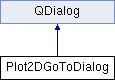
GoTo dialog used to zoom to a m/z and retention time range or to a feature. More...
#include <OpenMS/VISUAL/DIALOGS/Plot2DGoToDialog.h>
Public Types | |
| using | AreaXYType = PlotCanvas::AreaXYType |
Public Member Functions | |
| Plot2DGoToDialog (QWidget *parent, std::string_view x_name, std::string_view y_name) | |
| ~Plot2DGoToDialog () override | |
| Destructor. More... | |
| bool | showRange () const |
| Returns if a feature UID was set an a feature should be displayed (false), otherwise, show a range (true) More... | |
| bool | checked () |
Methods for ranges | |
| void | setRange (const AreaXYType &range) |
| Sets the data range to display initially. More... | |
| void | setMinMaxOfRange (const AreaXYType &max_range) |
| Sets the data range of the complete experiment for better navigation with the dialog. More... | |
| AreaXYType | getRange () |
Methods for feature numbers | |
| String | getFeatureNumber () const |
| Returns the selected feature numbers. If a number is returned, the feature rather than the range should be displayed. More... | |
| void | enableFeatureNumber (bool) |
| Disables the feature number field. More... | |
Private Attributes | |
| Ui::Plot2DGoToDialogTemplate * | ui_ |
GoTo dialog used to zoom to a m/z and retention time range or to a feature.
| using AreaXYType = PlotCanvas::AreaXYType |
| Plot2DGoToDialog | ( | QWidget * | parent, |
| std::string_view | x_name, | ||
| std::string_view | y_name | ||
| ) |
Constructor
| parent | Parent widget |
| x_name | Name of the x_axis dimension |
| y_name | Name of the y_axis dimension |
|
override |
Destructor.
| bool checked | ( | ) |
| void enableFeatureNumber | ( | bool | ) |
Disables the feature number field.
| String getFeatureNumber | ( | ) | const |
Returns the selected feature numbers. If a number is returned, the feature rather than the range should be displayed.
| AreaXYType getRange | ( | ) |
Query the range set by the user. If any dimension is <1, it is extended to at least 1 to ensure proper displaying.
| void setMinMaxOfRange | ( | const AreaXYType & | max_range | ) |
Sets the data range of the complete experiment for better navigation with the dialog.
| void setRange | ( | const AreaXYType & | range | ) |
Sets the data range to display initially.
| bool showRange | ( | ) | const |
Returns if a feature UID was set an a feature should be displayed (false), otherwise, show a range (true)
|
private |
 1.8.14
